This one hurts me to the core, since I have been pushing so hard for everyone to use the SCM, and really pushed at the conference, waxing poetic about the SCM 🙂 But we have found, and finally been able to reproduce a serious bug in the SCM.
Recently, several other developers and myself have all occasionally had our project either lose project code that we swore we had created, or the project tell us new elements that were recently created, didn’t belong to the project. I was certain that the SCM was occasionally allowing us to overwrite each other’s version of the project, but I could never prove it or reproduce what was happening.
Until Now!!!!…
Alan at Water Systems and I had the issue the last 2 days, and he helped me finally isolate the issue and reproduce it.
I renamed a couple of variables in the project code and checked it in along with some other changes.
Alan retrieved the changes
He generated an executable, which FYI checks the project in and out to update the version number
He ran the application and got a runtime error, concerning one of the variables I renamed not existing.
I retrieved the project, and sure enough the variables were not renamed!
Swearing I had already done it, I changed them again and noticed a few other changes on a couple of windows that needed to be made
I checked everything in
He retrieved, made an executable, and got the same runtime error
I retrieved and you guessed it variables were not renamed
We did a final change, I remoted into his machine, retrieved the changes, generated an executable and all worked fine
So then it was “What did you do differently” and luckily Alan remembered what it was
Here are the steps to reproduce the issue
#1 I made a change to a comment in the project code
#2 I made a change to a comment on the ifrmProducts window
#3 I checked everything in
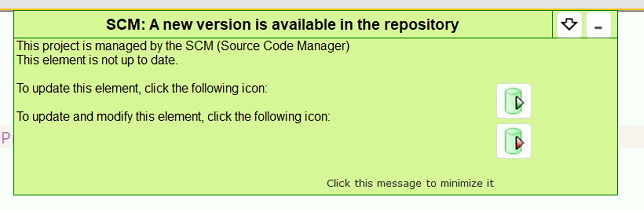
#4 He opens the project on his machine, and this is the key step, he happened to already have the ifrmProducts window open the last time he had the product open. The IDE detects the available update and pops up a screen to give him the option to retrieve that update
#5 He retrieves that screen update via that popup screen
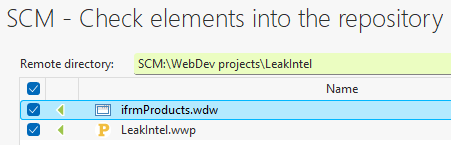
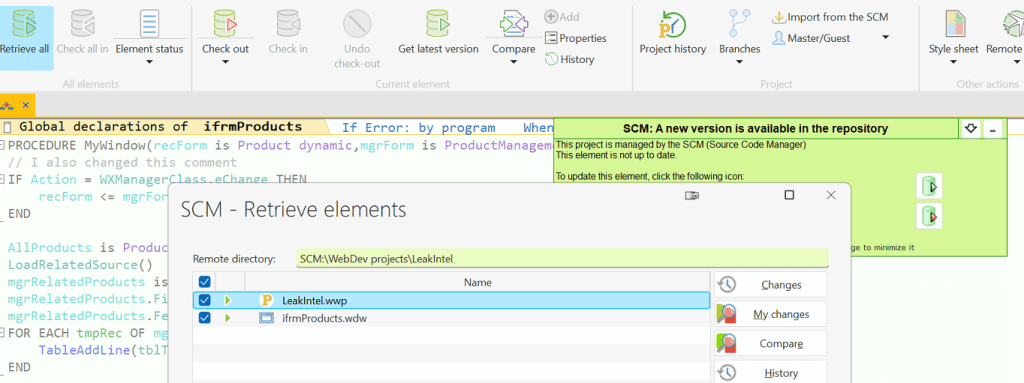
#6 He does a retrieve all changes and is told there are no updates. But wait he never got the project file!!!!
#7 He generates the executable which checks the project in and out. The only issue is it just let him check it out and back in without having ever retrieved the latest version. And just like that my changes in the project code are gone.
#8 We went through those exact same steps a 2nd time and reproduced the same result
#9 We went through those same steps a 3rd time except, he ignored the popup to retrieve the changes to the ifrmProducts window and instead went straight to the retrieve all button, and it indeed gave him both the window and the project updates. And we did not lose my changes to the project code.
So I would say to be safe for now, always do a retrieve all and don’t use the option to retrieve an individual element.
I have submitted this to support and will update this post when I get a response from this.
Update 9/27/2023 – Fix Available!!!
Great news PCSOFT got a fix to me very quickly for this issue! – Below is the info from their email. Note I have placed the zip file on our server as well. Alan and I have tested and verified the fix.




 wxBlog - All things wx – Covering pcSoft products (WINDEV, WEBDEV, WINDEV Mobile)