

One exciting feature of version 2024 is the support for Tailwind CSS. This addition not only offers an avenue for working with web designers who aren’t necessarily WEBDEV developers, but it also signifies PCSOFT’s commitment to standard web technologies. As hinted in several of my recent posts, a series of upcoming articles will delve into various topics related to WEBDEV site design. The focus will be on modern techniques and technologies for aesthetics and user experience. The planned topics include:
- Creating a custom WEBDEV skin
- Utilizing Flex+Grid for basic page layout, even if you are not implementing a full responsive design
- Tailwind CSS
- Reproducing interface features from other sites that exemplify modern web design
- Progressive Web Applications
- And much more!
I have recruited some of the top WEBDEV developers to contribute to this ongoing project. Our goal is to create a definitive guide on the basics of crafting a modern, functional, and aesthetically pleasing web application with WEBDEV. We aim to leverage web standard techniques and technologies as much as possible. By adhering to web standards, we can facilitate collaboration with web developers who might not use WEBDEV.
This article is the first installment in this new series. It serves as an introduction to the WEBDEV Tailwind CSS implementation and explains its importance.
What is Tailwind CSS?
We’ll delve deeper into Tailwind CSS in upcoming articles, but for now, here’s a short primer.
Version 2024 introduces Tailwind CSS support as new features 800-803.
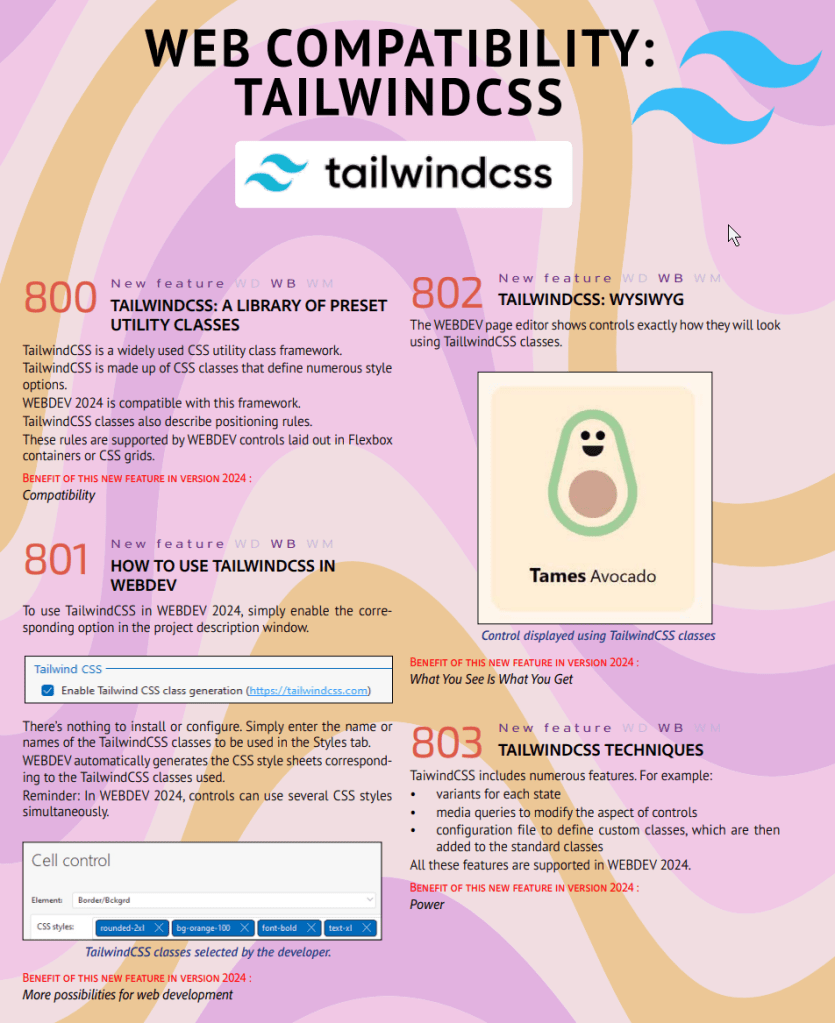
Tailwind is a “utility-first” CSS framework, as opposed to a Component CSS framework like Bootstrap.
In simple terms, Tailwind is a low-level tool that replaces most CSS properties with class names. You might wonder why this is beneficial. The advantage lies in its use of a JIT (Just in Time) compiler. This compiler scans your HTML for Tailwind class names and constructs a CSS file with only the classes you used. This contrasts with the traditional method of having a large CSS file or multiple files that define numerous classes such as Big Button, Little Button, and so on. Anyone familiar with CSS will tell you that its best and worst feature is its (c)ascading nature.
The approach of Tailwind meshes well with WEBDEV styles. I’ve always felt it was too cumbersome to develop both CSS and WEBDEV styles simultaneously. As a result, I’ve only used WEBDEV styles with all the CSS declared locally.
Now, using Tailwind class names, I can specify my CSS in the WEBDEV style’s CSS Styles entry, rather than delving into individual CSS settings. This has been enabled by another excellent new feature of version 2024. Feature 782 allows for the entry of multiple CSS styles on a WEBDEV style.

This means that as I adopt Tailwind CSS more extensively, I’ll be able to swiftly create WEBDEV styles for my controls. Additionally, it facilitates the conversion of an example provided by a Web Designer into WEBDEV.
But wait, it gets even better. Until now, I have only covered the basic features that standardize and reduce the CSS in our web applications. However, it also supports state variants such as hover, focus, active, disabled. These are the settings that are typically hidden behind the ‘+ local CSS…’ link. If I want the hover state to be bold, I would simply include another Tailwind style in the list: ‘hover:font-bold’.
But that’s not even the best part yet! Media queries are baked right in. These are essential for responsive design. For instance, if the static layout appears good on a mobile phone but the ‘text-base’ is slightly large, we can adjust it by adding another style to the list. With ‘sm:text-sm’, the font will shrink when displayed on a smaller screen. You could search through all the WEBDEV style screens and you wouldn’t find this setting! However, now it’s achievable just by typing a style name!
This only scratches the surface of what Tailwind CSS brings to WEBDEV. Its unparalleled ability to be extended, customized, and tweaked has led to a growing market share among web designers. This popularity ensures a wealth of third-party information, plugins, extensions, and examples.
If I haven’t convinced you just how beneficial Tailwind CSS support in WEBDEV is, just wait until you see what we do with it in future posts!
If I’ve persuaded you, it’s only fair that I show you how to implement Tailwind CSS into your WEBDEV project, right? You might think it’s a complex process involving downloads, command line entries, and various steps. But remember, this is PCSOFT and WEBDEV – if it’s difficult, you’re probably doing it wrong! Simply go to your project description, navigate to the advanced tab, and enable the Tailwind CSS checkbox.

You’re done! Start typing Tailwind CSS names into your WEBDEV Styles CSS style input and enjoy the magic!
Tailwind CSS Resources
I plan to delve deeper into Tailwind CSS in future posts. I believe it will become an essential tool for my WEBDEV work. In the meantime, here are some resources for you to explore on your own.
Tailwind CSS – Rapidly build modern websites without ever leaving your HTML.
Let’s start with the main source! This is the home of Tailwind CSS, providing extensive documentation and links to other resources.
Tailwind has won
Uncle Pete hasn’t managed to convince you that Tailwind CSS is better than sliced garlic bread. Would the opinion of a React web developer, who likely hasn’t even heard of PCSOFT or WEBDEV, sway you?
What is Tailwind CSS: A Complete Guide | LambdaTest
Aside from tailwindcss.com, this might be the most comprehensive resource for all things related to Tailwind CSS.
 wxBlog - All things wx – Covering pcSoft products (WINDEV, WEBDEV, WINDEV Mobile)
4 thoughts on “WEBDEV meets Tailwind CSS”