
Quick tip from your Uncle Pete, although I can’t take a credit for this one. Joel Waldron figured this one out.
One of the new features of v2025 when scrolling through code it keeps the top line of each level of nested code on the display in a gray backgrounded area, likes so
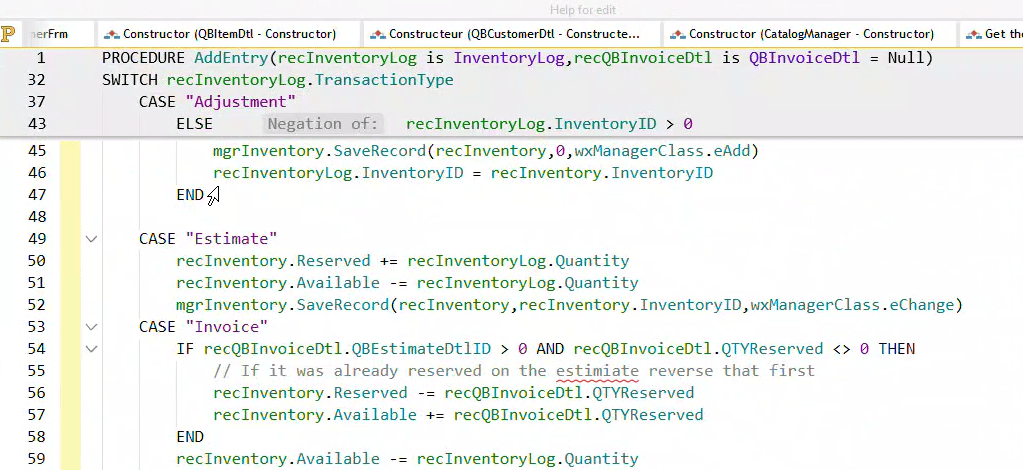
I assume this is suppose to help you follow the logic a bit better, but I just find it distracting, and the other tools already available to me in the code editor do the job for me. It turns our that this feature is called Sticky Header and can be turned off on the Display plane of the ribbon bar when you are in the code editor.

Now if I could just get my publishing windows to stay in the foreground instead of going in the background and having to click the little icon in the title bar, I would be even happier. Again I get why they are doing it in theory, but I never publish and not want to observe the outcome.
 wxBlog - All things wx – Covering pcSoft products (WINDEV, WEBDEV, WINDEV Mobile)